Prosthetics clinic management software
Prosthetics software for connected care.
Prosthetics practice management with patient records, appointment scheduling, clinical documentation, and team coordination in one platform. Built for the people behind every stage of care.
Now connected: AADL claim entry & predetermination →A shared view of a longer care journey.
Prosthetics clinic software helps teams coordinate patient care, appointments, documentation, and operational handoffs. LifeLink supports these shared workflows for prosthetics and combined orthotics and prosthetics practices.
Now in LifeLink · Alberta Aids to Daily Living
Your patient chart.
Your AADL workflow.
Finally connected.
LifeLink connects orthotics and prosthetics clinics to the Alberta Blue Cross AADL portal. Send patient-linked claim details directly from LifeLink and review predetermination results in the same workflow.
Explore AADL submission support- 01Connect your clinic’s AADL portal account
- 02Look up the patient from their chart
- 03Send claim details for predetermination
- 04Review AADL and patient amounts in LifeLink
Available now: patient lookup, claim entry, and predetermination. Final “Process claim” submission is not performed by LifeLink; predetermination is not a completed claim or a guarantee of payment.
The connected workflow
Less chasing updates.
More shared context.
From the first conversation to the next follow-up, keep the people doing the work connected to the information they need.
- 1
Make the first appointment count.
Coordinate intake and appointments while keeping the patient’s history accessible to the care team. Connect reception and clinical staff around the same patient record.
Patient intake · Appointment scheduling · Records
- 2
Keep clinical context with the patient.
Document consultations, care plans, and follow-up visits in the clinical record. Help the next clinician understand what has already been discussed and what needs review.
Clinical charting · Visit history · Shared context
- 3
Bring the operational handoffs into view.
Use connected clinic workspaces to coordinate the team’s next steps. Review your prosthetic device specifications, fabrication requirements, and component workflows with LifeLink to confirm the right configuration.
Team coordination · Workflow review · Configuration
- 4
Stay connected between visits.
Use scheduling, reminders, patient communication, and the patient portal to support ongoing care. Give patients a clear way to stay informed about their next appointment.
Reminders · Patient portal · Follow-up visits
One practice. Many moments of care.
Prosthetic care often involves repeated consultations, fittings, adjustments, and follow-up. LifeLink connects the shared clinic work around those visits. For lower-limb or upper-limb prosthetics, review device-specific forms, component tracking, and fabrication needs with our team before choosing a configuration.
Map your workflow with usQuestions, answered
Choosing prosthetics software?
Clear answers about LifeLink’s workflows, the current preview, and what to bring to your demo.
Can my clinic send AADL claim details directly from LifeLink?
LifeLink connects orthotics and prosthetics clinics to the Alberta Blue Cross AADL portal. Send patient-linked claim details directly from LifeLink and review predetermination results in the same workflow. Available now: patient lookup, claim entry, and predetermination. Final “Process claim” submission is not performed by LifeLink; predetermination is not a completed claim or a guarantee of payment.
What is prosthetics clinic management software?
Prosthetics clinic management software coordinates patient records, appointments, clinical documentation, communication, and operational work across the care journey. LifeLink supports these shared clinic workflows for prosthetics practices.
Does LifeLink support orthotics and prosthetics practices?
Yes. LifeLink supports shared clinic workflows for prosthetics practices alongside its orthotics workspace. Combined O&P teams can discuss scheduling, patient records, documentation, communication, and technical coordination in one workflow demo.
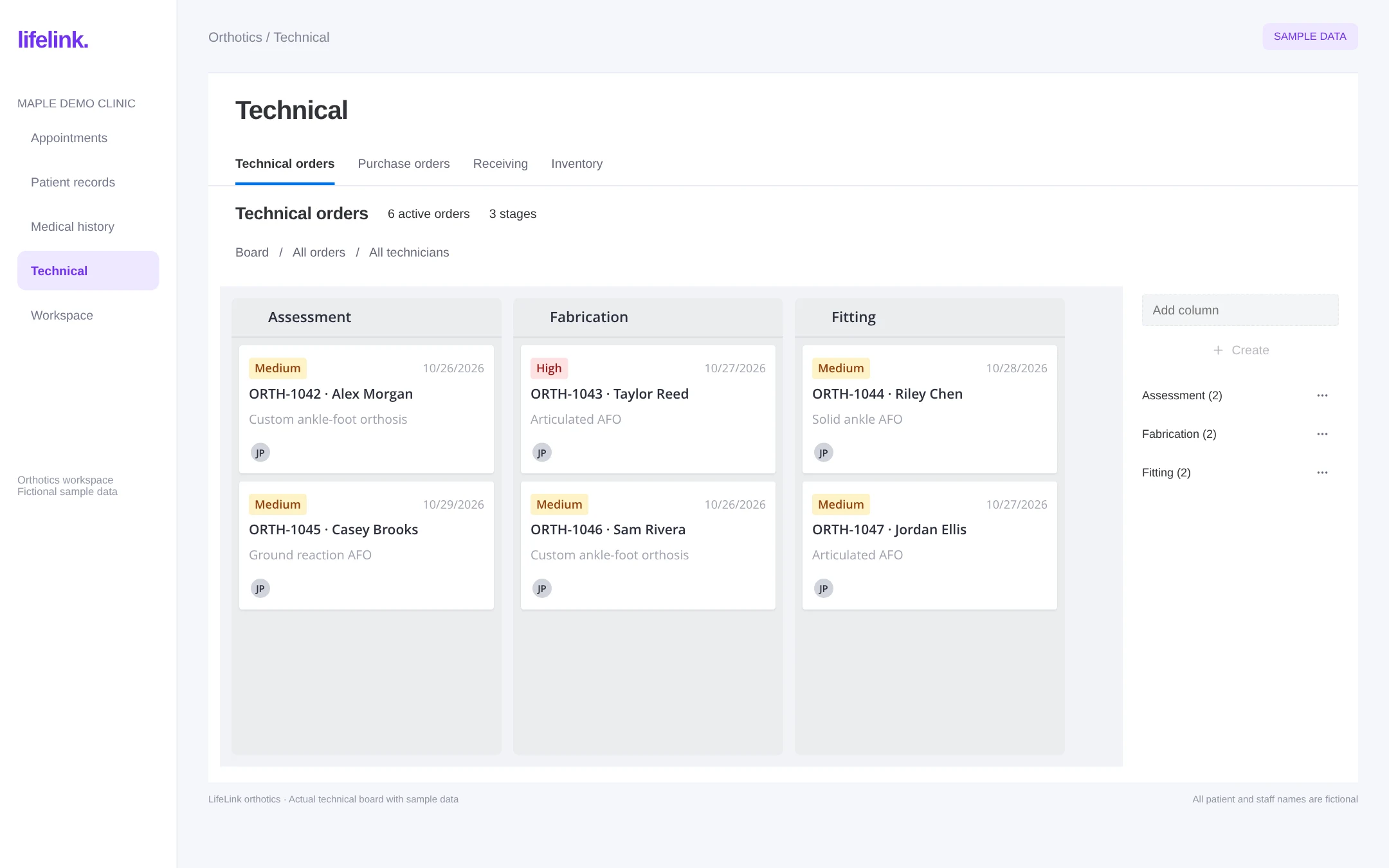
Is the screenshot a dedicated prosthetics dashboard?
No. The image is the actual LifeLink orthotics technical board with fictional sample data. It is the shared visual reference for both specialties until a dedicated prosthetics preview is available.
Can LifeLink help manage prosthetic fitting and follow-up appointments?
LifeLink’s scheduling and clinical charting support appointments and documentation across consultations, fittings, adjustments, and follow-up visits. The patient portal and communication tools help keep patients connected between appointments.
Does the preview demonstrate prosthetic component or socket manufacturing tools?
No. The current preview demonstrates the orthotics technical board. Ask the LifeLink team to confirm prosthetic component tracking, socket-specific documentation, fabrication integrations, and other device-specific requirements for your clinic.
What should an O&P clinic bring to a software demo?
Bring a de-identified example of your care journey, appointment types, documentation templates, team handoffs, device categories, purchasing needs, and funding workflows. These help the team confirm which workflows are available and how they should be configured.
Explore the connected platform
See LifeLink with your prosthetics workflow.
Bring your appointment types, team handoffs, and documentation needs. We’ll walk through how they fit together.
30-minute call · No commitment · See it on your own workflows